ledgerely.com

View Categories

Error boundary save to log DB

Frontend Error Logging #

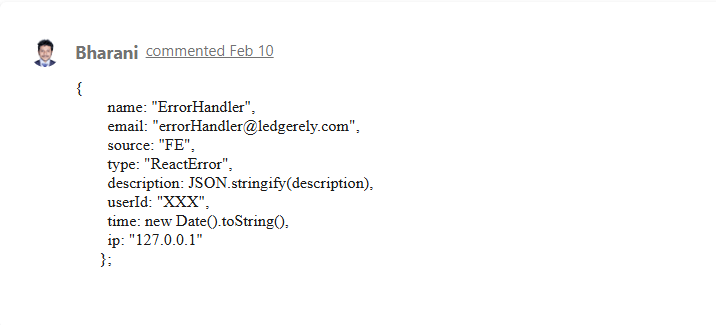
The Error Catch Component in Ledgerely captures and displays errors encountered during component mount. To enhance debugging and system stability, these errors are also logged into the database via an API call.
frontend error logging

How It Works | Frontend Error Logging #

Error Capture on Component Mount #

  • When a component mounts, any encountered errors are automatically caught and displayed.

Logging Errors to Database #

  • After catching the error, the system triggers an API call to store the error details in the log database.
  • The log entry includes:
    • Component Name – The specific component where the error occurred.
    • Stack Trace – A detailed traceback to pinpoint the issue.
    • Error Message – The description of the error for quick debugging.

Why is this Important? #

  • Real-World Error Tracking – Captures actual frontend errors faced by users.
  • Proactive Debugging – Developers can analyze logs and fix issues before they affect more users.

Application Health Monitoring #

  • If no errors are found in the log database, it indicates a stable and error-free experience for real users.
  • Improved User Experience – Faster error resolution leads to seamless performance and higher user satisfaction.

This logging mechanism ensures smooth application performance while empowering developers to maintain a robust and error-free frontend system.